Workflow Management for Small Business: Process, Handoffs, and Automation

Most small businesses do not have broken workflows. They have no workflows. They have habits, tribal knowledge, and informal handoffs that work when the same three people are doing everything and fail the moment a fourth person joins or a key employee leaves.

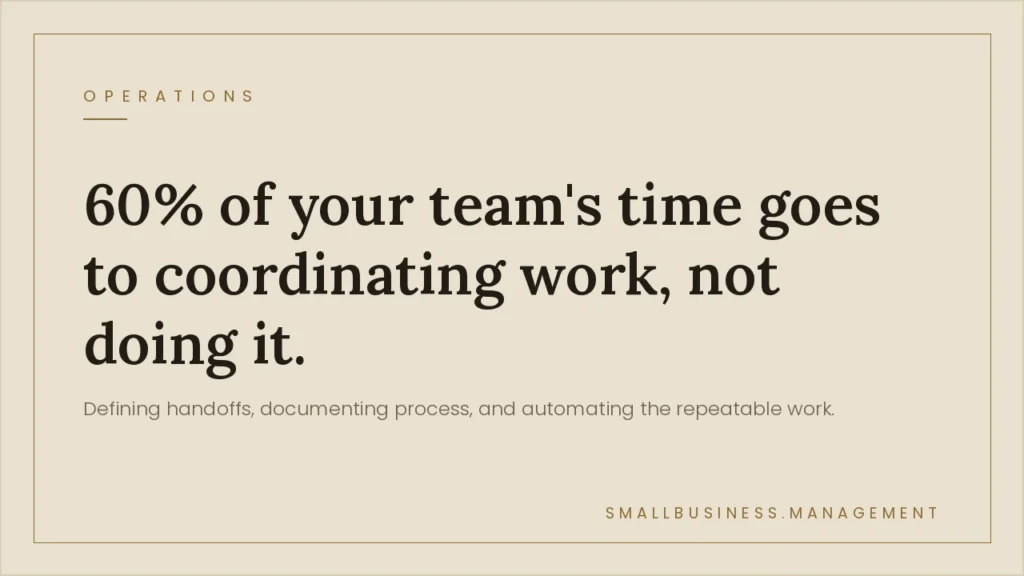
Workflow management is the practice of defining how work moves through your business: who does what, in what order, with what handoffs, and how you know when something is done. Done right, it eliminates the errors that come from informal processes, the bottlenecks caused by unclear ownership, and the onboarding problems stemming from undocumented work.

This guide covers how to map and document your critical workflows, identify where they are breaking down, fix handoff failures and approval problems, and determine where automation actually helps versus where it just speeds up a broken process.

Start With What Actually Happens, Not What Should Happen

The first mistake in workflow improvement is documenting how work is supposed to happen rather than how it actually happens. Every business has an imagined process and an actual process. The gap between them is where errors live.

Before documenting anything, interview the people doing the work. Walk through a real transaction from start to finish. Follow an actual customer order, invoice, or project through your system and observe every step, every workaround, and every place where someone does something different from the procedure. That is your actual workflow.

Start with three to five critical workflows: the ones that directly touch revenue or customer satisfaction. For most small businesses, these are the lead-to-sale process, client onboarding, service or product delivery, invoicing and payment collection, and any recurring operational process involving more than two people. Map each one from trigger to completion before touching anything else.

How to Document a Workflow That People Will Actually Use

A workflow document that nobody reads is the same as no document at all. Most process documentation fails because it is too abstract, too long, or stored in a place nobody checks. Useful workflow documentation has six components.

The first is the trigger: what event starts this workflow? A signed proposal, a new customer record, an incoming shipment, a submitted expense report. The trigger must be specific and recognizable.

The second is the owner: one person or role is responsible for the entire workflow. Not a team. One person. That person is accountable for the workflow completing correctly and on time. Even if multiple people are involved in steps, there is still one owner responsible for the outcome.

The third is the steps, in order, with assigned roles. Each step names who performs it, what they do, the tools or forms they use, and the output they produce. Use screenshots and templates where applicable. Do not describe steps at a level of abstraction that allows for multiple interpretations.

The fourth is the handoff definition: exactly what must be complete before work passes to the next person or step. A handoff without a definition of “ready” results in handoffs before the work is actually done, creating rework downstream.

The fifth is the time expectation: how long should each step take, and what is the maximum acceptable time before escalation? A step with no time expectation runs as fast as the person doing it chooses to run it, which may be fine most of the time but is a problem when it is not.

The sixth is the exception path: what happens when something goes wrong? Who gets notified, what is the recovery procedure, and who has the authority to deviate from the standard process? Workflows without exception handling create improvisation when problems occur, and improvisation produces inconsistent outcomes.

Finding Bottlenecks Before They Become Crises

A bottleneck is any step where work accumulates faster than it gets completed. In a small business without formal workflow tracking, bottlenecks usually announce themselves as recurring complaints: “We are always waiting on accounting,” “Projects stall after the first draft,” “Customer onboarding takes twice as long as quoted.”

Bottlenecks almost always live at one of three places. The first is handoffs: the moment when work transfers from one person to another is where the most delay and information loss occurs. The second is approval steps: any process that requires sign-off from someone who is also doing other things will naturally incur a delay. The third is manual data transfer: any step where someone copies information from one system to another is slow, error-prone, and a bottleneck candidate.

To find your actual bottlenecks, pull the data. If you have a project management tool, look at time-in-status reports: which stages do tasks spend the most time in? If you do not have a tool with that data, run a retrospective on your last 10 completed transactions and note where the delays occurred. The pattern will be obvious.

Once you have identified the bottleneck, the fix is almost always one of three things: the person who owns that step is overloaded and needs either more time or a different scope, the step has unnecessary complexity that can be simplified, or the step requires information that should have been collected earlier in the process but was not. Identify which of these applies before implementing a solution.

Fixing Handoff Failures

Handoffs fail because of three recurring problems. The first is channel ambiguity: the person passing work off uses whichever communication method is convenient, whether that is email, a chat message, a verbal comment, or a task assignment, and the person receiving it does not have a consistent way to know work is arriving. The solution is standardizing the handoff channel. All work transfers occur through a single mechanism, whether via a task assignment in a project management tool, a form submission, or a specific email inbox. Pick one and enforce it.

The second problem is incomplete transfers: work moves to the next step before it is actually ready. A design goes to production before copy is finalized. A proposal goes to legal before pricing is confirmed. The solution is a required completion checklist at each handoff point. The sender cannot pass work off until the checklist is complete. The receiver does not need to verify whether the work is ready. The checklist is the verification.

The third problem is no acknowledgment: work is sent, and the sender has no confirmation that it was received and accepted. The solution is a required acknowledgment step in the workflow. The receiver confirms receipt and acceptance before the sender’s responsibility for that item ends. Without this, work can sit in an inbox for days while the person who sent it believes it is in progress.

Approval Loops: Where Work Goes to Die

Approval steps slow down every workflow they touch. Sometimes that slowdown is justified: certain decisions require a manager’s judgment, or a compliance requirement mandates a review. Often, approvals are not out of habit or organizational caution, but rather genuine risk management.

Audit your approval steps. For each one, answer two questions: what specific risk does this approval mitigate, and what is the actual frequency of the approver adding substantive value versus just stamping the work through? If the approver rarely changes anything, the approval step should be either removed or converted to a notification (informing the approver rather than requiring them to act).

Where approvals are genuinely required, use conditional logic to reduce their frequency. A purchase order under $500 may not need manager approval. An invoice correction of less than 5 percent of the invoice value may not require director sign-off. Setting thresholds means the approval step only activates when the decision warrants senior attention, rather than slowing routine work.

Approvals that cannot be simplified need time limits. An approval step without a deadline becomes the slowest person in the chain. Set a maximum response time for each approval step and build an escalation path: if the approver does not respond within the window, the work automatically escalates to their backup or manager.

What to Automate and What Not To

Automation is frequently recommended as the solution to workflow problems. It is often not. Automating a broken process makes it run faster. The right order is: map the process, fix what is broken, then automate the steps that benefit from automation.

The steps that benefit most from automation are high-volume, repetitive, and low-judgment. Sending a follow-up email 48 hours after a proposal is sent. Creating a project from a template when a contract is signed. Generate a weekly status report from data already in your system. Sending a payment reminder when an invoice hits 30 days past due. These are deterministic processes with clear triggers. Automation handles them reliably and frees your people to focus on work that requires judgment.

The steps that do not benefit from automation are judgment-heavy, exception-prone, or relationship-sensitive. Customer escalations require a human. Pricing decisions on non-standard work require judgment. Complex client communication requires context that automation cannot provide.

For a small business without a dedicated operations team, the highest-value automation targets are: automatic task creation and assignment when a trigger event occurs, automated follow-up messages on a schedule, automatic routing of approvals to the right person with escalation on delay, and data synchronization between systems to eliminate manual data reentry. Start with one workflow and one automation. Confirm it works as intended before adding the next one.

Tools That Match the Stage of the Business

The right workflow tool depends on the complexity of what you are managing. A simple task list in Asana, Trello, or Monday.com handles most small-business workflow-tracking needs. These tools support task assignment, due dates, status tracking, and basic approval workflows at low cost.

If you need form-based workflows, document routing, or multi-step approvals with conditional logic, tools like Notion, ClickUp, or purpose-built workflow software add those capabilities. For businesses that need to connect workflows across multiple systems, platforms like Zapier or Make handle trigger-based automation between tools.

The common mistake is investing in sophisticated workflow software before documenting and stabilizing the processes that will run on it. Software does not fix a workflow. It reflects the workflow you design into it. Start with documentation, identify what works and what does not, then choose software that matches the stable processes you have built.

For the operations management layer that runs alongside workflow systems, see our guide on business operation management. For project-level workflow management, see project management for small business. If you need outside help designing and implementing operational workflows, businessadvisors.io works with small business operators on exactly that.

Summary

Workflow management for a small business is not about software or complexity. It is about defining how work moves, who owns each step, what a complete handoff looks like, and how long each step should take. Get those four things documented for your five most critical processes, and you have eliminated the majority of the errors, delays, and onboarding friction caused by informal operations.

Fix the process first. Automate second. Never automate a broken process and call it workflow management.

author avatar
World Consulting Group
Scroll to Top